No sound on YouTube? Solution Guide of problems
Discover the capabilities and technical details of your device safely and online.
First, make sure your speakers are working properly using the tool above. If they work, the problem is with YouTube or your browser.
7 Steps to Solve the Problem
1. General solutions
- See if your speakers are connected and turned on.
- Examine the connection points to check for instability or false contacts.
- Check if the volume is low on your computer; If so, turn it up to maximum and check that the speakers work.
- Go to your system's sound settings and select the correct speakers.
- Check the appropriate driver for your sound card and download the latest version.
2. Check the mute button on YouTube
Look in the bottom left corner of the YouTube video player. If there is a forward slash (/) over the speaker icon, the video is muted. Simply click the icon to unmute. The slash will disappear and the sound should resume.
3. Open YouTube in a new browser or private tab
- Try opening a private tab or window: "Private Tab" (Safari), "Incognito Window" (Chrome), or "New Private Window" (Firefox).
- If sound works in private mode, try clearing your regular browser's cache and cookies, as well as clearing your browsing history.
- To quickly clear browsing data, press Shift + Control + Delete (Cmd + Shift + Delete on macOS).
4. Update Player and Browser
- Open a video on a website other than YouTube. If you can hear audio on this other site, it means that the problem is specifically related to your YouTube settings.
- Make sure you have your web browser fully updated to the latest version to support modern audio codecs.
5. Update audio software
If you are using an external speaker, check the internet to see if a software or firmware update is available for it. Update your speaker and check if the audio works again.
6. Unmute the browser and plugins
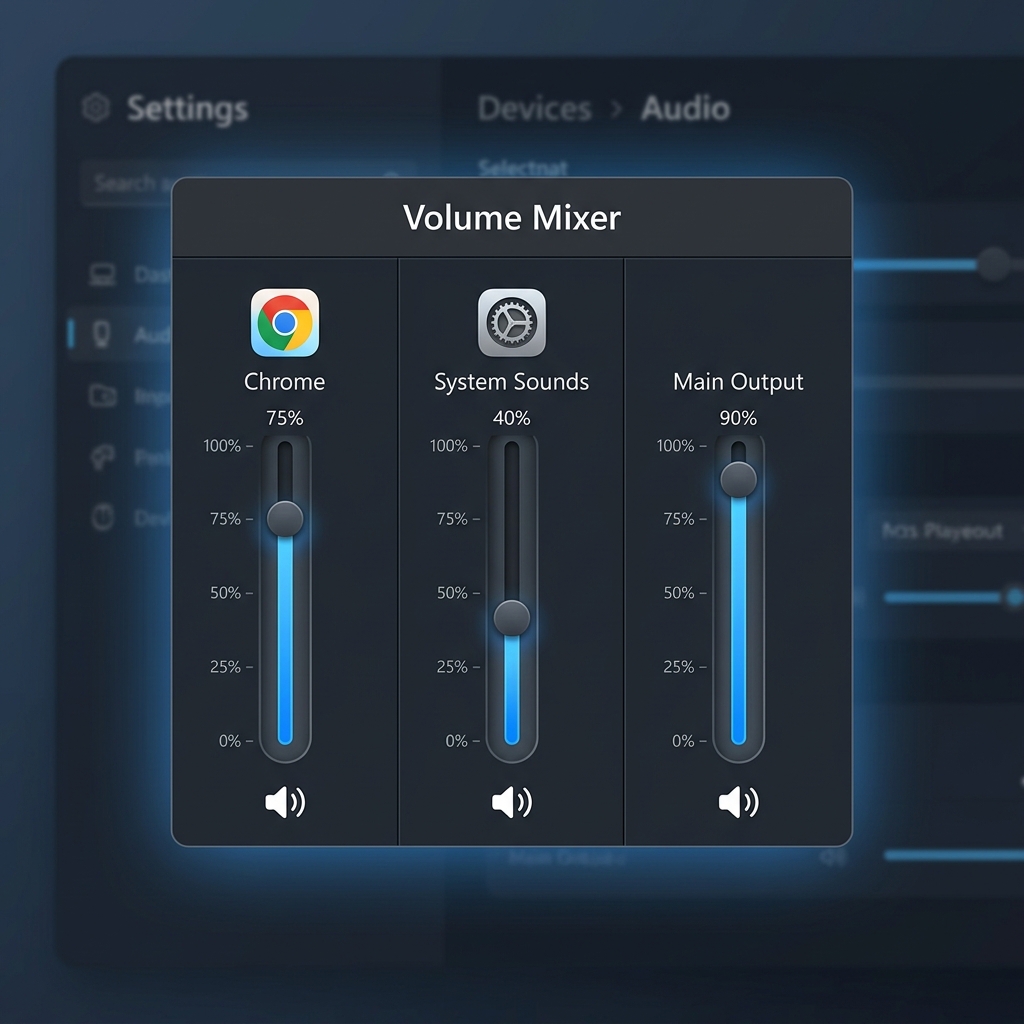
- Right-click on the speaker icon located in the lower right corner of your desktop taskbar.
- Select Open volume mixer.
- Make sure the specific volume controls on your web browser (Chrome, Firefox, etc.) are not muted or set to the minimum volume.
7. Check security software
Sometimes, some security programs (antivirus or firewall) can interfere with multimedia content, especially if they have a real-time scanning function activated. You can go into the settings of your security software and check that content is allowed to run in your browser.
What is No sound on YouTube? Solution Guide of problems and how does it work?
Discover the capabilities and technical details of your device safely and online.. This free online tool is designed to be fast, secure, and easy to use directly from your browser without any downloads.
How to use this tool
Follow these simple steps to get the best results instantly:
- Select your preferred options or input your data into the panel.
- Click the main action button to start the process.
- Review your results instantly on the screen.
100% Privacy Guaranteed 🔒
We value your privacy. All processing is done locally on your device. No data is ever sent to or stored on our servers.